
PeerBrush
A free desktop image editor with editable layers and masks, plus MCP and CLI tools for AI agents working in the same document.
About PeerBrush
Moving an AI edit between a separate generator and a layered image editor can make it harder to retain editable sources and document context.
Who it’s for
- Illustrators and concept artists working with layers, masks and RGB PSD files
- Creators connecting a compatible AI agent to local image-editing tools
When to consider it
Consider PeerBrush when you want manual painting and connected AI edits to use the same document, with layers, masks and undo history available for further refinement.
Tradeoffs & limitations
- Version 0.30.1 offers Windows x64 through the Microsoft Store, an Apple silicon macOS download and an Ubuntu 24.04 amd64 DEB. Desktop editing was not tested by SOTA.
- AI use requires a compatible client and model that you configure separately. External AI providers may charge for their services; free editor downloads do not include model credits.
- Editable Photoshop support focuses on supported 8-bit and 16-bit RGB layers, groups and raster masks. Unsupported structures open as a protected composite; full Photoshop compatibility is not claimed.
- Connected clients can receive canvas images, document information and local file paths. Their provider settings govern any external AI processing.
A useful first evaluation
AI-assisted review of official documentation, release metadata, the product logo and the submitted screenshot on 2026-11-09. SOTA did not install the editor, run an AI client, measure performance or test PSD round-tripping.
Suggested evaluation, not a report of tests we ran. Download the worksheet.
SOTA overview · Documentation-based assessment · Sources & review method
Product preview
1 / 1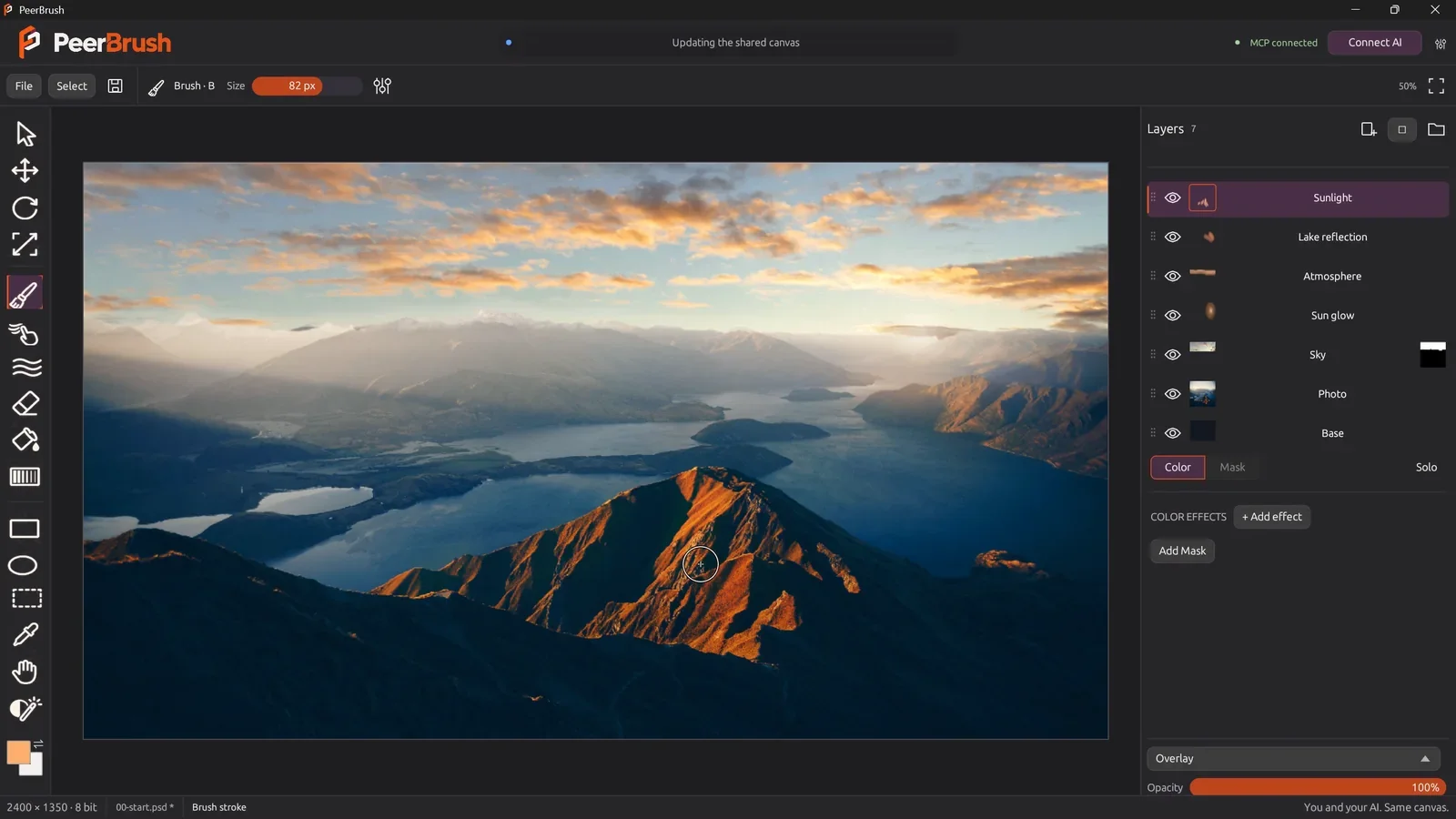
Updates
No updates shared yet.
Discussion
Newest firstAsk a question or share how you use PeerBrush.
Keep it helpful. Community rules
Loading discussion…
Sources & review method
Documentation-based assessment · Nov 9, 2026 · Prepared with AI assistance; not a hands-on benchmark.
- PeerBrush official features, downloads and screenshot credits
- PeerBrush 0.30.1 official release and platform downloads
- Pinned MCP and CLI setup
- Pinned editing workflow and supported Photoshop subset
- PeerBrush privacy and connected-client data handling
- PeerBrush GPLv3 licence
Checked by SOTA · AI-assisted documentation review. Selection advice is our assessment; verify current requirements for your deployment.
Import history & original evidence
Deftr0y/PeerBrush
A free desktop image editor with editable layers and masks, plus MCP and CLI tools for AI agents working in the same document.
Official source and current v0.30.1 release checked. Older version and unreleased labels remain in some README/setup prose, so current download availability follows the release page. App installation, AI editing and Photoshop round-tripping were not tested.
Community submission: PeerBrush
A free desktop image editor with editable layers and masks, plus MCP and CLI tools for AI agents working in the same document.
Original Issue body hash retained. Display-label tags were mapped to taxonomy IDs and MCP was added from official documentation. The official screenshot was visually reviewed for product relevance and privacy, and its caption was corrected to the current website credits: Robert Magnusson and W.carter, CC0. No maker profile was requested or added.